Step 1: To add task , go to --> Tasks in left side pane.
Step 2: Click on New task.
Step 3: Fill all the details related to task and save it.
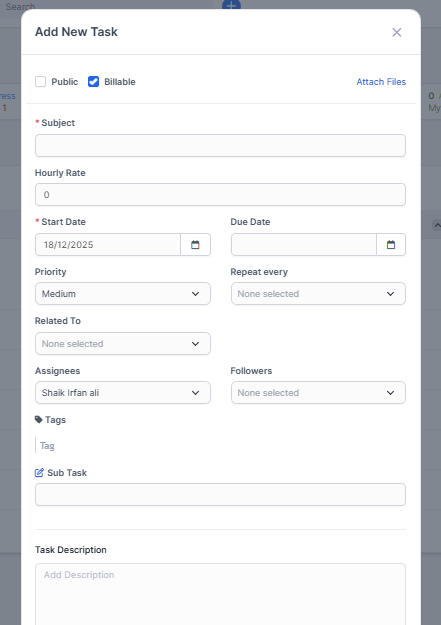
- Write the subject
- Add Start and Due date for task.
- Select the priority of the task.
- Assign the task.
- Add the description of the task
- Fill out all other details.
- And save