To Import Items
Step 1 : Go to inventory module --> Click on Items.
Step 2 : Click on Import Items
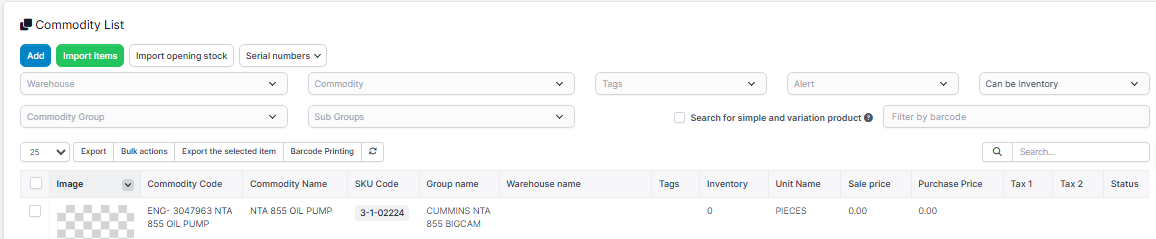
Step3 : Click on Download Sample

After downloading the sample .
Fill in all the necessary details as,
Commodity Code - Enter the Commodity name with part name or item name,
Commodity Group - for this go to setting and check the commodity group code like 1,2,3 etc and write that code in place of Commodity Group.
Unit - Same for units write the units code as 1, 2, etc check in settings of inventory
Fill all other details and save the file.
Step 4: In the choose file section choose the file and then import it.
Note -
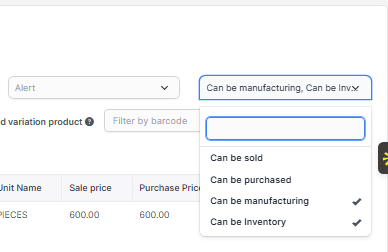
If you are bulk importing the you check the option at the right as can be manufacturing then only your imported items will be visible
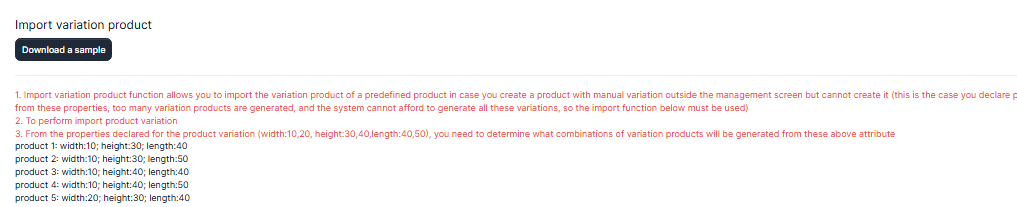
To Import Variations
Step 1 : To import variations , click on download sample
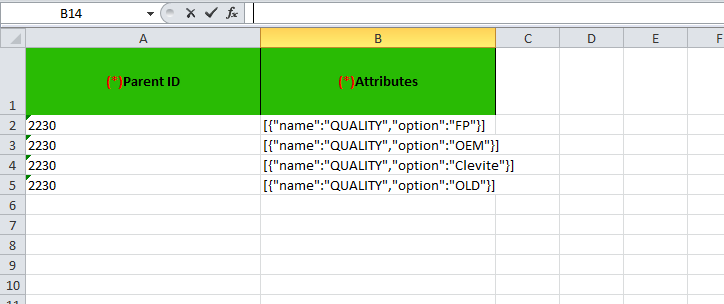
 Step 2 : Fill the details in downloaded file as,
To add the variations for the item-
For parent Id - Go to items list click on view of the item which you want to add the variations.
Click on view . Then on the upper side you will see the parent ID.
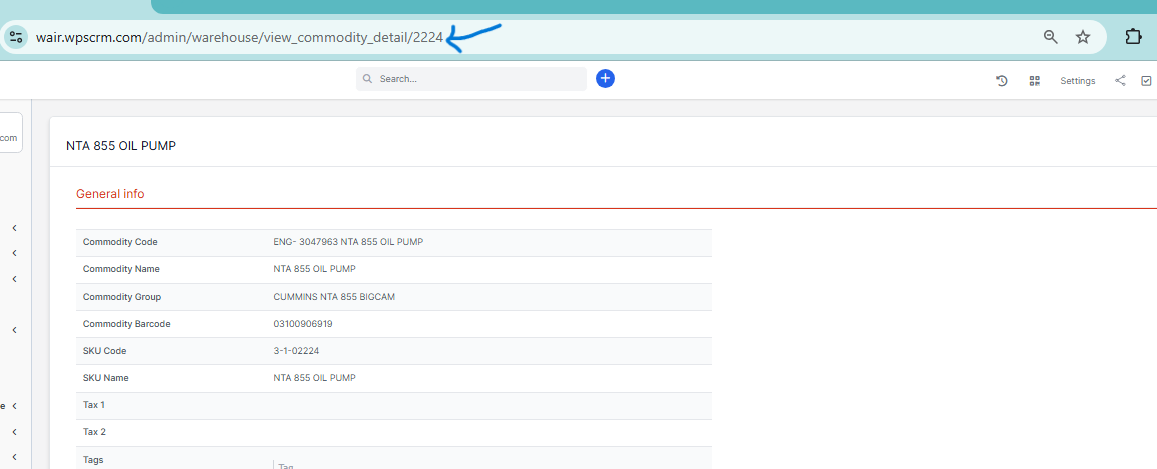
The last digits are the parent id , copy that numbers and paste in parent id column,
In attributes columns add the details, as name : quality and option : FP, etc. In option part write the variation names . Save and Import the file.